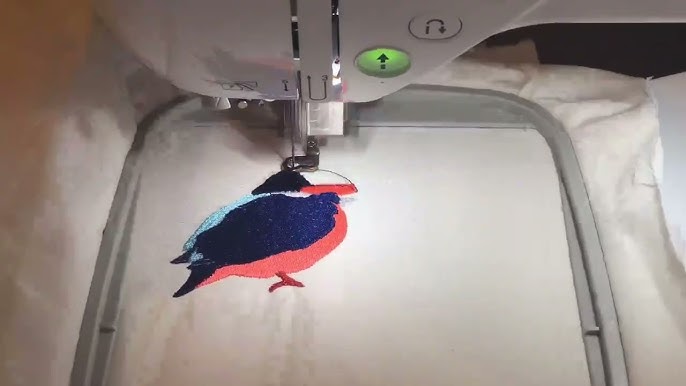
You are a designer. Your mind works in shapes, colors, and compositions. You can visualize how a graphic would look stitched on fabric—the texture of the thread, the dimension of the satin stitches, the impact of a perfectly placed logo. But the technical leap from your design software to an embroidery machine feels like a chasm. The desire to find a tool that can Convert Image to Embroidery File Free is powerful, but as a designer, you need more than just a free converter; you need a tool that respects your intent, offers precision, and unlocks creative potential. The right software isn’t just a utility; it’s an extension of your creative workflow, translating your vision into the meticulous language of stitches.
- The Designer’s Mindset: Beyond Simple Conversion
- The Contenders: Software for Every Stage
- Tier 1: The Free & Open-Source Powerhouse
- Tier 2: The Professional-Grade Standard
- Tier 3: The Native & Integrated Solutions
- The Path to Precision: Your Workflow Strategy
- What About “Instant” Free Online Converters?
- Your Designer’s Checklist for Choosing Software
- Conclusion: Precision is a Choice, Not a Feature
This guide is crafted for designers moving into the tactile world of embroidery. We’ll explore the landscape of digitizing software, from powerful free options that are perfect for learning and experimentation, to industry-standard professional suites that offer the control your designs deserve. We’ll cut through the marketing speak and evaluate each option based on the criteria that matter to you: precision, creative control, workflow integration, and, of course, value.
The Designer’s Mindset: Beyond Simple Conversion
First, let’s reframe the goal. As a designer, you’re not looking for a “converter.” You’re looking for a translation tool. A simple converter tries to mimic pixels with stitches, often resulting in a dense, lifeless block of thread. A true digitizing tool allows you to interpret, adapt, and enhance your design for a new medium.
You need software that allows you to:
-
Assign Intent: Declare this shape a fine satin stitch border, that area a light fill texture.
-
Engineer Structure: Build in underlay for stability and loft.
-
Control Color & Sequence: Manage thread palettes and stitch order like a layers panel.
-
Iterate and Preview: See a realistic simulation before committing to fabric.
The Contenders: Software for Every Stage
Tier 1: The Free & Open-Source Powerhouse
For designers who are curious, on a budget, or love to tinker.
Ink/Stitch (Plugin for Inkscape)
-
Precision & Control: Exceptional for a free tool. Because it works inside the vector editor Inkscape, you have total control over every node and path—a familiar environment for graphic designers. You manually assign stitch types to vector paths, offering a deep, fundamental understanding of digitizing.
-
Workflow: It feels like an extension of your design process. You design and digitize in the same program. The learning curve is significant, but for a designer already proficient in vector software, it’s a logical, powerful step.
-
Best For: The technically-inclined designer who wants to learn the core principles of digitizing from the ground up without financial investment. It’s the ultimate tool to convert image to embroidery file free with serious capability.
-
Limitation: It can be less intuitive for purely auto-digitizing simple images and lacks some of the automated optimization features of paid software.
Tier 2: The Professional-Grade Standard
For designers building a business or demanding broadcast-quality results.
Wilcom Hatch Embroidery
-
Precision & Control: The gold standard. Built on the same engine as the industrial Wilcom software, it offers stunningly realistic 3D stitch simulation (TrueSitch™) and granular control over every parameter—pull compensation, stitch length, density mapping. It handles complex designs like lettering, gradients, and photos with professional tools.
-
Workflow: Designed for digitizers. The interface is clean and tiered, making advanced features accessible as you learn. Its auto-digitize functions are excellent starting points, saving time on simple graphics so you can focus on refining details.
-
Best For: The serious designer or small business owner who needs reliable, professional output and is willing to invest in the best tool. It’s the bridge between artistic vision and industrial-quality embroidery files.
-
Investment: Paid software with a tiered subscription or purchase model. It offers a generous 30-day free trial, which is perfect for a thorough evaluation.
Embrilliance
-
Precision & Control: Known for its logical, modular approach. You buy the platform (Essentials) and add “modes” like StitchArtist (for digitizing) or AlphaTricks (for lettering). Its control over bezier curves and stitch points is very precise, appealing to illustrators.
-
Workflow: Highly intuitive for those who prefer a manual, point-by-point digitizing style, similar to drawing with a pen tool. It excels at clean lettering and decorative stitches.
-
Best For: The hobbyist-to-pro designer who enjoys a more hands-on, artistic approach and appreciates buying specific tools à la carte.
-
Investment: Modular purchase; you can start small and expand.
Tier 3: The Native & Integrated Solutions
For designers who prioritize seamless compatibility with a specific machine ecosystem.
Brother PE-Design, Bernina/BERNINA Software, Janome Digitizer
-
Precision & Control: These are capable digitizing suites made by machine manufacturers. Their strength is flawless compatibility with their respective brands, often including exclusive fonts and designs.
-
Workflow: They integrate directly with the machine’s features. However, their interfaces and tools can sometimes feel less modern or intuitive than Hatch or Embrilliance.
-
Best For: Designers who are heavily invested in one brand’s ecosystem and want guaranteed, hassle-free file compatibility above all else.
-
Investment: Typically high-cost, one-time purchase software.
The Path to Precision: Your Workflow Strategy
As a designer, your path into embroidery software should be strategic.
1. Start with Exploration (The Free Tier):
Before spending money, download Inkscape and the Ink/Stitch plugin. Follow a tutorial to digitize a simple vector logo you’ve created. This hands-on experience will teach you the core concepts of stitch types, density, and underlay. It answers the “can I do this?” question and clarifies what you need from a paid tool.
2. Graduate to Efficiency (The Professional Tier):
Once you understand the basics, the limitations of manual freeware for complex or frequent work become clear. This is when you take the 30-day free trial of Wilcom Hatch. Use it on a real project. Experience its auto-digitize on a logo, then use its powerful tools to refine. Test its 3D simulator. Compare the workflow to your experience with Ink/Stitch.
3. Specialize as Needed (The Modular Tier):
If you find your work is heavy on custom monograms and decorative lettering, explore adding Embrilliance to your toolkit for its strengths in that specific area.
What About “Instant” Free Online Converters?
A web search will reveal dozens of sites promising free, instant image-to-embroidery-file conversion. As a designer, you should avoid these entirely.
-
They Lack Precision: They use crude algorithms to turn pixels into solid fill stitches, with no understanding of stitch type, underlay, or pull compensation.
-
They Destroy Your Design: The result is a stiff, puckered, and ugly mass of thread that bears little resemblance to your careful composition.
-
They Offer No Control: You cannot edit, refine, or adjust the output. It is a black box that spits out low-quality files.
These tools are the antithesis of design. They automate the worst possible outcome.
Your Designer’s Checklist for Choosing Software
When evaluating, ask:
-
Does it work with my native file formats? (Can I import .AI, .EPS, .SVG?)
-
How realistic is the preview/simulation? Can I see thread texture and shine?
-
Is the editing non-destructive? Can I easily adjust stitch density or type after assigning it?
-
What is the learning curve? Are there tutorials and a community for support?
-
What is the true cost? Subscription, one-time fee, or modular?
Conclusion: Precision is a Choice, Not a Feature
Unlocking precision in embroidery digitizing is not about finding the most expensive software; it’s about choosing the right tool that aligns with your design mind and gives you the control to execute your vision faithfully. The journey often starts with the empowering, no-cost exploration of Ink/Stitch, proving you can indeed convert image to embroidery file free with remarkable quality.
For sustained professional work, the investment in Wilcom Hatch Embroidery is an investment in creative freedom and reliability, providing the precision-engineered tools a designer needs to thrive in a new medium. Start with exploration, demand control, and always prioritize tools that allow you to be the artist in the process. Your designs deserve nothing less than a perfect translation from screen to stitch.

At Techratan, we bring you the latest updates from the world of technology and startups—covering breaking news, trends, funding updates, and industry insights. Our mission is to empower readers with accurate, timely, and engaging content that helps them stay ahead in the ever-changing tech landscape. Whether you’re an entrepreneur, investor, or tech enthusiast, Techrata is your trusted source for innovation-driven news.

Leave a Reply